


SeeGen AI: Seedance 2.0 & 2.5
4.041.00 Reviews
App Specs
- Version
- 1.1.6
- Updated On
- License
- Free
- Downloads
- 50,000+
- Developer
- Fillog Studio
- Categories
- Art & Design
- Platform
- Android
Screenshots
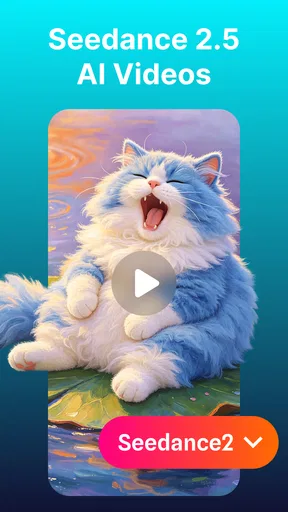
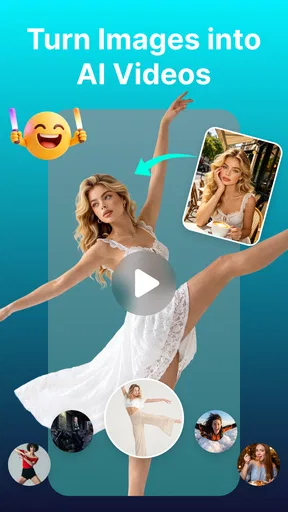
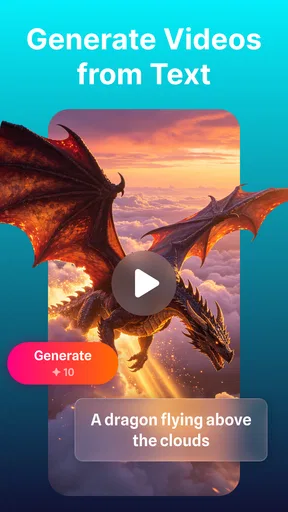
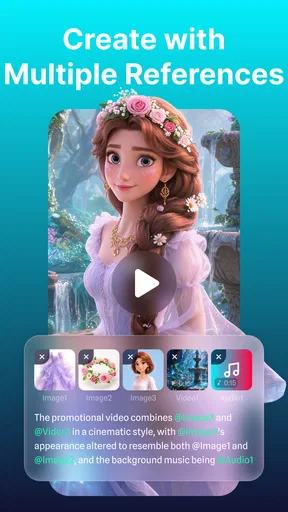
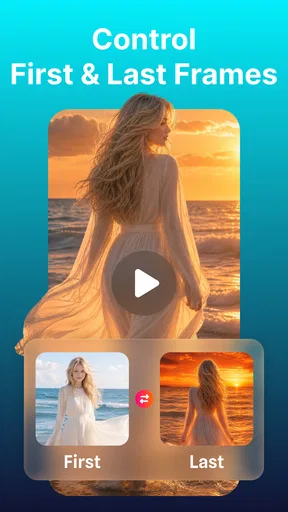

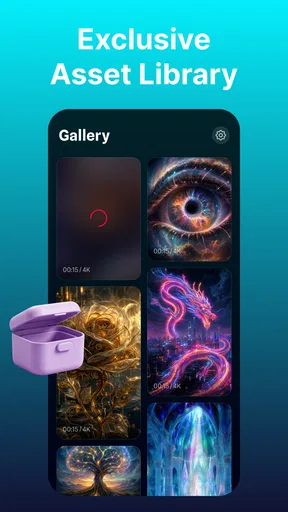

 Analysis by AppCompare
I approached SeeGen AI as someone looking for a practical way to work with AI video models rather than as a casual entertainment app. Its focus is clear: it brings familiar video-generation workflows to people using the Seedance 2.0 and Seedance 2.5 models. That makes it interesting for artists, social media creators, students, and anyone who wants to turn an idea into a moving visual without building a full desktop setup first.
My first impression was that this is an app for people who already have a reason to create. It is not trying to replace a complete video editor, drawing program, or professional production suite. Instead, it sits earlier in the process, where you shape an idea, guide an AI model, review the result, and decide whether the output is useful enough to keep developing.
That distinction matters. If you want trimming, layered audio, detailed color correction, or frame-by-frame control, a conventional editor remains the better tool. If you want to explore visual concepts quickly, SeeGen AI has a more focused purpose. I found its appeal strongest when I treated each generation as a draft to evaluate, not as a guaranteed finished video.
How the app feels to read and navigate
The interface is most useful when it keeps attention on the creative task: describing what should happen, selecting the appropriate workflow, and examining the result. For users who are comfortable with AI tools, that focused structure can feel less intimidating than opening a large desktop editor filled with timelines, panels, and technical controls.
At the same time, AI video applications can be demanding to navigate because the important decisions are often conceptual rather than visual. A button may be easy to find, but knowing what to write, how much detail to include, and when to revise a prompt takes practice. I would not judge the experience only by whether the screens look simple. The real learning curve is understanding how the Seedance workflows respond to descriptions.
I recommend beginning with a short, concrete scene rather than a complicated story. Describe the subject, its action, the setting, and the mood in separate thoughts. This makes it easier to identify what went wrong when the result misses the intention. If the first attempt combines a crowded scene, several characters, fast movement, and a complex camera direction, it becomes difficult to know which instruction caused the weak result.
This is one of the app’s less obvious strengths: it encourages an iterative way of thinking. Instead of trying to write one perfect prompt, I would keep the subject stable and change one element at a time. For example, I might first establish a person walking through a quiet street, then adjust the lighting, camera movement, or atmosphere in later attempts. That approach is slower than expecting a perfect result immediately, but it produces more useful learning.
Worth Reading Before You Choose

EA SPORTS FC Mobile 26 Is a Bigger Football Game, but It Takes Time

Flipboard Shows What News Apps Must Do Beyond the Feed

Switching to Android Auto Means Rethinking Your Driving Routine

Google Calendar Makes a Crowded Week Easier to Manage

Ludo King Makes the Most of the Minutes Between Plans

Baby Panda World Brings Quick Play to Modern Phones, but Its Game Library Feels Busy
Readability also depends on how much information is presented around the generation controls. Creative apps can become tiring when labels, previews, and settings compete for attention. SeeGen AI is easier to approach if I use it in short sessions and keep my working idea nearby in a note. That simple habit reduces the need to remember every wording choice while moving between attempts.
For users with dyslexia, attention difficulties, or limited experience with AI terminology, the most helpful strategy is to work from a repeatable prompt template. I would use headings in my own notes such as subject, action, place, lighting, camera, and style, then turn those points into a natural description. The app cannot make creative decisions for the user, but a structured preparation method makes the workflow much easier to follow.
Learning the two model workflows
The connection with Seedance 2.0 and Seedance 2.5 gives the app a more specific identity than a general-purpose visual generator. A user who already works with those models may appreciate having familiar workflows gathered in one place. Someone completely new to them should expect a period of experimentation before the differences between the available choices become meaningful.
I would avoid switching models randomly after every attempt. Keep the same idea for a few trials, observe how the output changes, and write down what you notice. This is especially useful for users who find rapid changes confusing or who need a clear record of what they tried. It also prevents a common mistake: blaming the model for a prompt that was changed at the same time.
Another practical point is that visual review can be more demanding than text review. A generated clip may look attractive at first glance while still having problems with continuity, movement, or the relationship between the subject and background. I recommend watching each result more than once: first for overall impression, then for motion and consistency. That two-pass review is more reliable than keeping a clip simply because its opening frame looks good.
Motor, sensory, and cognitive considerations
SeeGen AI may suit users who prefer creating by typing instead of drawing, cutting, or manipulating many small objects on a timeline. That can reduce the fine motor effort associated with traditional mobile editing. A person working on a small screen does not necessarily need to drag clips precisely just to explore a visual idea.
However, typing is not effortless for everyone. Long prompts can be tiring for users with hand pain, tremors, or limited dexterity, and repeated revisions can make the keyboard the main barrier. I would prepare reusable phrases in a notes app and paste only the parts that need changing. Keeping prompts modular also helps when voice input is more comfortable than extended typing, although the quality of a spoken transcription should always be checked before submitting it.
For users with low vision, the central challenge is likely to be inspecting the generated video rather than merely reading a prompt. Fine visual details, subtle contrast, and motion continuity can be difficult to judge on a phone. I would review important work on a larger screen whenever possible and avoid relying only on a tiny preview to decide whether a clip is ready to share.
Users who are sensitive to flashing imagery, rapid motion, or visually busy scenes should approach generated results carefully. The creative description can ask for calm movement, a stable camera, and a simple composition, which may make review more comfortable. I would still pause between previews and avoid rapidly cycling through many clips, especially during a long experimentation session.
Sound is another consideration in any video workflow, even when the main creative focus is visual generation. People who are deaf or hard of hearing can judge many visual aspects without audio, but a finished project may still need separate attention to captions, spoken content, or meaningful sound cues. SeeGen AI should therefore be viewed as one part of an inclusive production process, not as the complete accessibility solution for the final audience.
For neurodivergent users, open-ended generation can be both liberating and frustrating. There are few creative limits at the idea stage, but that freedom can make it hard to know when to stop. I find it helpful to define a small goal before opening the app: create one background concept, test one character movement, or produce one short visual for a presentation. A clear stopping point prevents the workflow from turning into an endless cycle of almost-right attempts.
A useful workflow for everyday creation
Imagine I am preparing a short visual for a community event. I might begin with a simple scene showing handmade decorations being arranged on a table. Rather than asking for a complete promotional video, I would first generate a calm establishing shot, then test a closer view of the details. If one result has an appealing atmosphere but the objects change between moments, I would treat it as a mood reference instead of presenting it as a factual record.
That distinction is important for teachers, small organizations, and people creating public information. AI-generated video can communicate a feeling or illustrate an idea, but it should not automatically be used to depict real people, real events, or precise instructions without careful checking. SeeGen AI is most dependable in my workflow when it supports imagination, storyboarding, and visual exploration rather than replacing verification.
For a creator with limited time, I would use a three-stage routine. First, write the purpose of the clip in one sentence. Second, generate a visually simple version with one main subject. Third, revise only the element that matters most to the audience. This avoids spending energy polishing details that may disappear once the video is viewed on a small social feed.
Where situational access works well
The app’s mobile nature makes it attractive when I am away from a desk and want to capture an idea before it disappears. A student could explore a visual metaphor for a class project, a designer could test a mood for a pitch, and a hobby filmmaker could create rough scene references while traveling. In these situations, speed of experimentation is more valuable than a complete production environment.
It can also help people who feel excluded by traditional creative software. A full editor often assumes familiarity with tracks, codecs, layers, and export settings. A model-centered workflow shifts the first step toward describing an intention in ordinary language. That does not remove all technical difficulty, but it offers a gentler entry point for someone whose strength is storytelling rather than manual editing.
There is a trade-off for people working with unreliable connectivity or limited data. AI video generation is not the same as writing a note offline; it depends on processing beyond the phone, so a user should plan important work for a stable connection and allow time for reviewing results. I would not make the app the only part of a time-sensitive presentation workflow. Draft the concept locally first, then use the app when the connection and schedule are dependable.
Battery and attention also matter in mobile use. Repeated visual generation can encourage constant checking, especially when each attempt is only slightly different. I recommend deciding in advance how many variations are worth reviewing and saving the strongest prompt wording separately. This is a small but meaningful accessibility practice for anyone who becomes fatigued by prolonged screen work.
The free entry point makes trying the app less risky. SeeGen AI is listed as free, while in-app purchases range from $2.99 to $199.99 per item. I would therefore explore the basic experience first and pay close attention to what a purchase changes before committing money. The wide gap between the smallest and largest listed items means users should be especially careful with a purchase flow, particularly when a child or someone unfamiliar with digital buying is using the device.
Because the content rating is Everyone, the app is positioned for a broad audience. That does not mean every generated result will automatically be suitable for every classroom, workplace, or family setting. The description supplied by the user still shapes the output, and adults should review material before sharing it with children or using it publicly.
Remaining barriers and practical trade-offs
The largest barrier is not necessarily navigation; it is expectation management. AI video can produce something visually convincing without producing exactly what the user meant. People who need precise identity, reliable text inside a scene, exact object placement, or repeatable continuity may become frustrated quickly. For those tasks, a conventional animation package, stock footage library, or hands-on editor may be the better choice.
Another limitation is the distance between an appealing clip and a finished communication piece. A generated video may still need editing, captions, branding, narration, timing, and factual review elsewhere. If I were making an accessible public announcement, I would use SeeGen AI for the visual concept and then move to a tool that gives me direct control over captions and final layout.
Users with limited digital confidence may also need a patient learning process. The app’s connection to Seedance models gives experienced users a starting point, but a newcomer may not know whether to revise the wording, change the scene, or try a different workflow. My advice is to keep a small experiment log: record the prompt, the chosen model workflow, what worked, and what failed. This turns trial and error into a skill rather than a series of unexplained disappointments.
Cost can become a barrier for frequent creators. The free label is useful for initial exploration, but the presence of per-item purchases means I would not assume that unlimited experimentation is included. Before using the app for a large project, I would test the exact kind of output needed and decide whether the likely expense fits the budget. For occasional concept work, that may be reasonable; for high-volume production, a predictable subscription or desktop workflow could be easier to manage.
There is also a social and ethical barrier that should not be ignored. A generated likeness, scene, or event can be mistaken for reality. I would label illustrative material clearly when the audience might misunderstand it, avoid presenting invented footage as evidence, and obtain appropriate permission before creating content that could affect a real person’s reputation. These are not reasons to avoid the app, but they are essential parts of using it responsibly.
People who need strong hands-free control, highly specialized screen-reader behavior, or a carefully documented accessibility setup should test the app personally before depending on it. I can describe how the workflow may reduce some editing demands, but that is different from claiming formal accessibility support. Device settings, input methods, and individual needs can change the experience substantially.
My inclusive verdict on SeeGen AI
SeeGen AI is a focused Art & Design app from Fillog Studio, and its appeal comes from making Seedance 2.0 and Seedance 2.5 workflows approachable on a mobile device. I found it most valuable as an idea laboratory: a place to turn a written concept into a visual draft, compare directions, and discover which parts of a scene deserve more work.
Its current version is 1.1.6, and the app has reached over 50 thousand installs with a 4.0 average from around 602 ratings and 40 written reviews. Those figures suggest a developing product with a real user base, but I would still approach it as a tool to evaluate through hands-on testing rather than as a finished replacement for every video application.
I would recommend it to curious creators, students, visual storytellers, and mobile users who want to explore AI video without beginning in a complex editing suite. It is particularly useful when the goal is a concept, atmosphere, storyboard reference, or quick visual experiment. The strongest results come from simple prompts, controlled revisions, and an honest understanding that generated footage may need further editing and checking.
I would skip it if your work depends on exact continuity, detailed timeline editing, dependable text rendering inside scenes, or a fully accessible production workflow that must be verified before purchase. In those cases, a conventional editor or a specialized professional tool gives you more direct control and fewer surprises.
For everyone else, my advice is to start small, protect your budget, and judge each result as a draft. Use a prompt template, change one instruction at a time, review motion as carefully as the first frame, and keep the final audience in mind. The most inclusive way to use this app is to treat it as a flexible starting point, then finish the work in tools that give every viewer a clear and usable result.
Pros
- Simple interface makes AI video creation easy for beginners.
- Supports creative experimentation with varied visual styles.
- Useful for generating quick concept videos and storyboards.
- Cloud-based processing avoids demanding hardware requirements.
- Can help creators produce content without advanced editing skills.
Cons
- Output quality may vary depending on the prompt and selected model.
- AI-generated motion can sometimes look unnatural or inconsistent.
- Processing times may increase during busy periods.
- Advanced features may require credits or a paid subscription.
- Generated content may need additional editing before professional use.
FAQs for SeeGen AI: Seedance 2.0 & 2.5
What is SeeGen AI: Seedance 2.0 & 2.5?
SeeGen AI: Seedance 2.0 & 2.5 is an AI-powered creative application designed to help users generate and experiment with digital content using Seedance technology. Depending on the available version, it may support text-to-video, image-to-video, motion effects, creative templates, and other automated tools. The exact features can vary by device, region, subscription plan, and app updates.
Is SeeGen AI: Seedance 2.0 & 2.5 free to use?
The app may be available to download at no cost, but some advanced generation tools, higher-quality exports, faster processing, or additional credits can require in-app purchases or a subscription. Before creating a project, check the pricing page carefully, including renewal terms and credit limits. AI generation can consume credits quickly, especially when producing longer or higher-resolution videos.
What can I create with SeeGen AI: Seedance 2.0 & 2.5?
SeeGen AI can be useful for creating short AI-generated videos, animated images, social media clips, visual concepts, and experimental scenes from written prompts or uploaded media. Results depend heavily on the clarity of your instructions and the source material. Complex movements, realistic hands, text inside images, recognizable characters, and consistent faces may still produce imperfect or unexpected results.
Does SeeGen AI: Seedance 2.0 & 2.5 require an internet connection?
Yes, users should expect to need a stable internet connection for most important functions. AI generation is generally processed on remote servers rather than entirely on the phone, so prompts, images, and generation requests must be uploaded for processing. Weak connections may cause failed jobs, slow previews, or incomplete downloads. Mobile data usage can also be significant when uploading and exporting video.
Is SeeGen AI: Seedance 2.0 & 2.5 safe for privacy and commercial use?
Before using the app for personal or professional projects, review its privacy policy, terms of service, and content license rules. Avoid uploading private documents, sensitive photographs, confidential business material, or images of people without permission. Commercial rights may depend on the selected plan, the assets used, and the platform’s current terms. Also check whether uploaded content may be stored or used to improve services.


